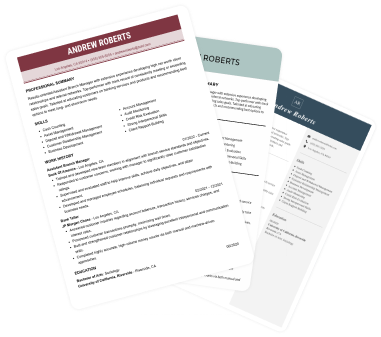
Create a professional CV now!
 NO
NO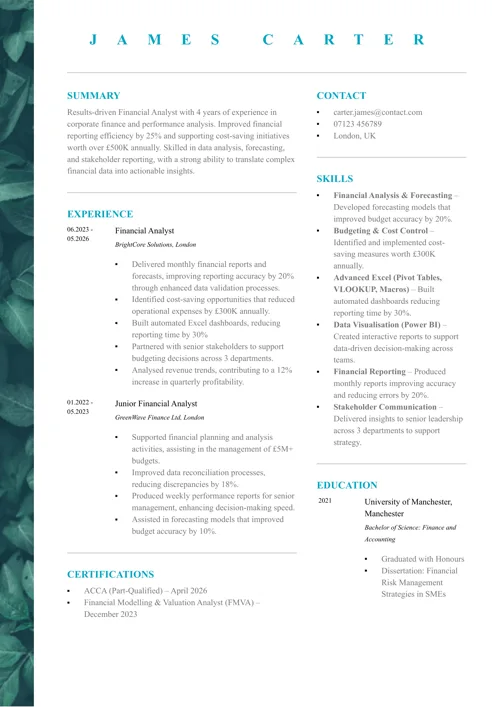 YES
YESLast updated on 14 May, 2026

Our customers have been hired by*:
No matter if you’re a student, an experienced employee, or are switching careers, you’ll find the perfect Word CV layout in this article! Our Word CV templates will help you create a great CV in just a few minutes.
Create an effective CV in minutes. Choose a professional CV template and fill in every section of your CV in a flash using ready-made content and expert tips.
Create a professional CV now!
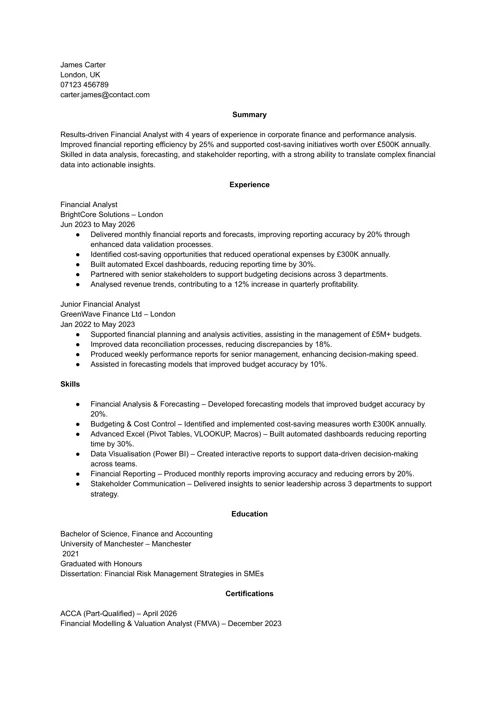
NOYESWe created the sample on the right using our builder. See other good CV examples like this one.
With just one click, you can download our free Word CV templates. We designed each MS Word CV template to be easy to edit, ATS-friendly, and tailored to the UK job market.
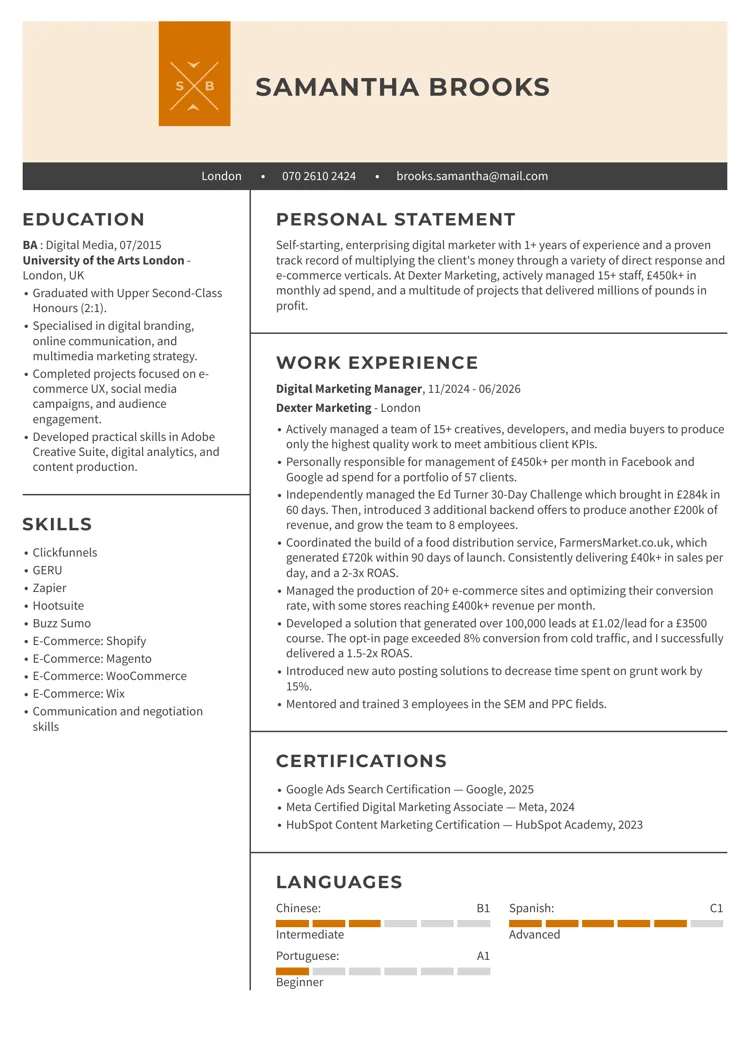
This Word CV template for students is ideal for showcasing education, transferable skills, internships, and early work experience. It works particularly well for university students, recent graduates, and entry-level candidates who want to highlight academic achievements, projects, and practical skills without overcrowding the page.
Download this free Word CV template
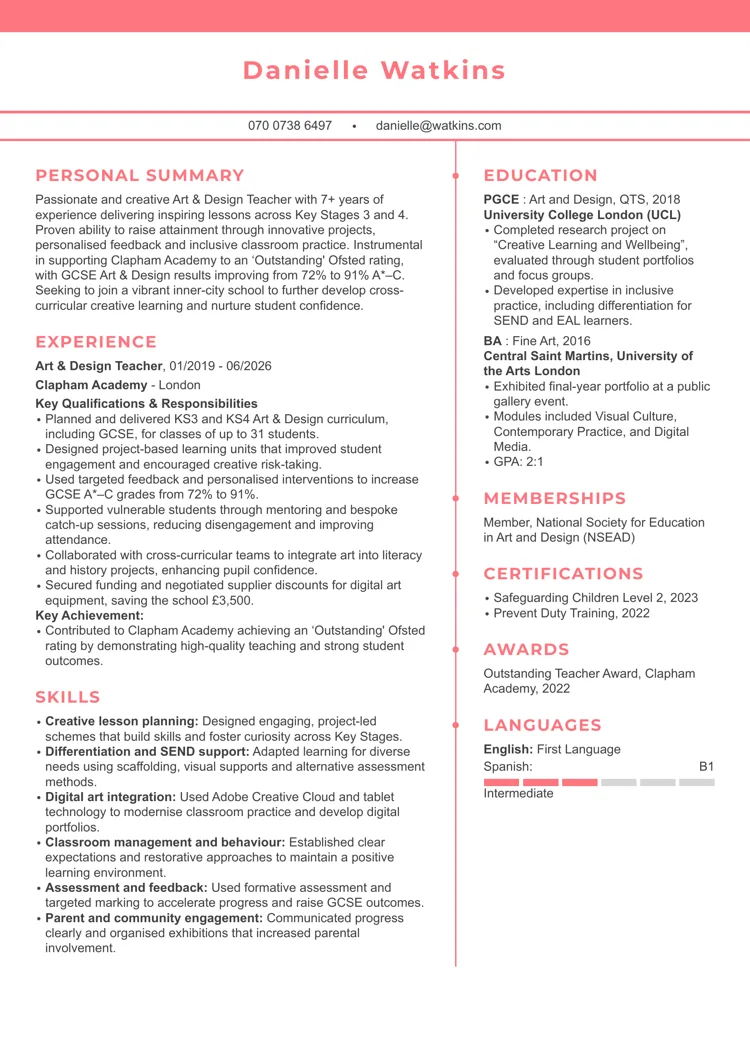
This Word CV template is ideal for professionals with a strong career history who need space to showcase detailed achievements, qualifications, and specialist skills. The structured two-column layout works especially well for mid- to senior-level professionals who want to present extensive experience in an organised way.
Download this free Word CV template
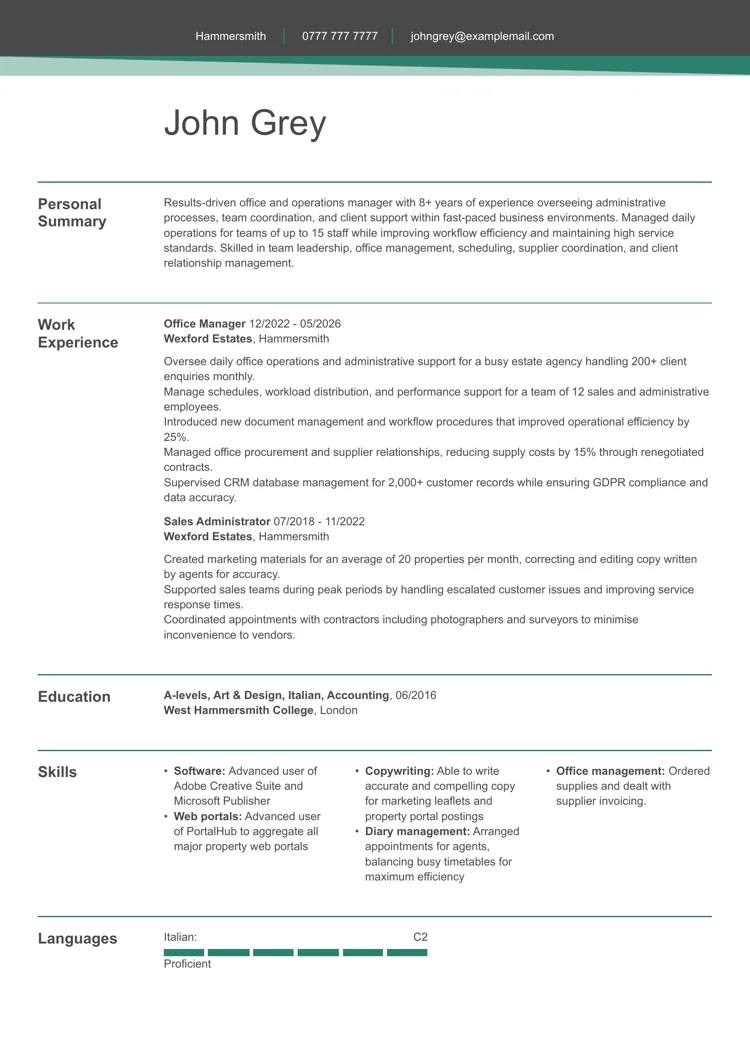
This managerial Word CV template is designed for candidates who need to present leadership experience, team coordination, and operational responsibilities in a professional way. It works particularly well for office managers, supervisors, administrators, and business support professionals who want to showcase both organisational skills and career progression.
Download this free Word CV template
LiveCareer’s CV maker offers dozens of Word CV templates, and you can download them in other file types, including PDF, SVG, JPEG, and TXT.
See some of our other CV templates for Word:
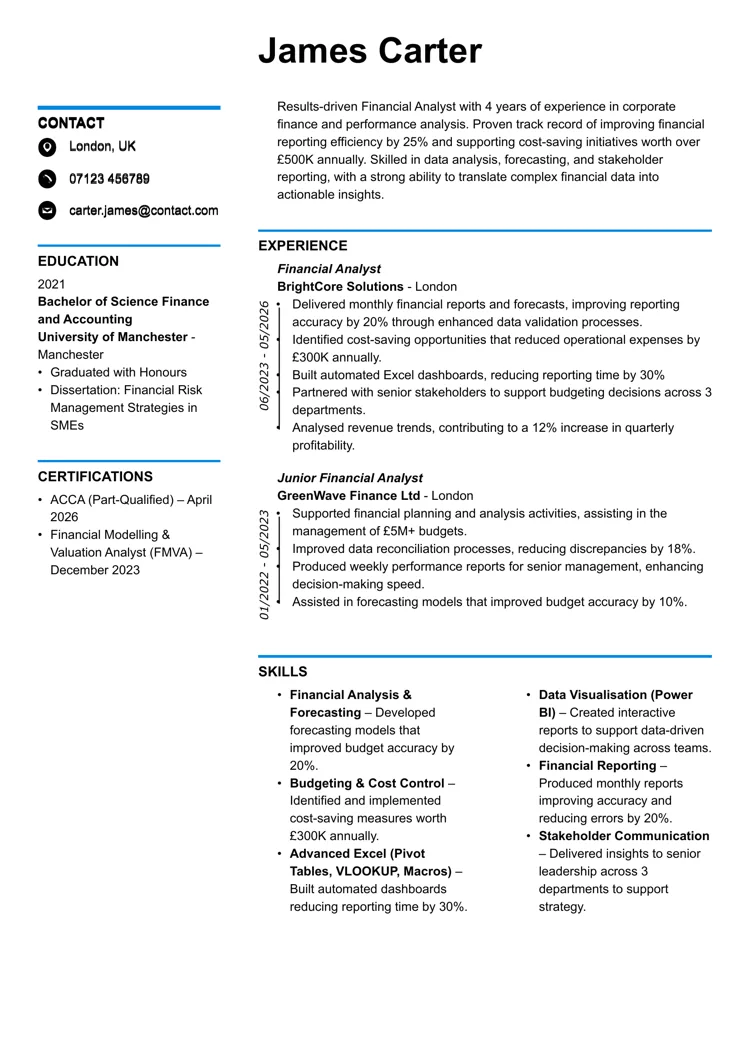
This Word CV template uses a minimalist design with a strong use of white space and sharp colour accents to guide the reader’s eye. The structured CV layout, clear section headings, and balanced margins create a smooth reading flow, making it an ideal Word CV template for presenting detailed experience in a professional format.
Best suited for:
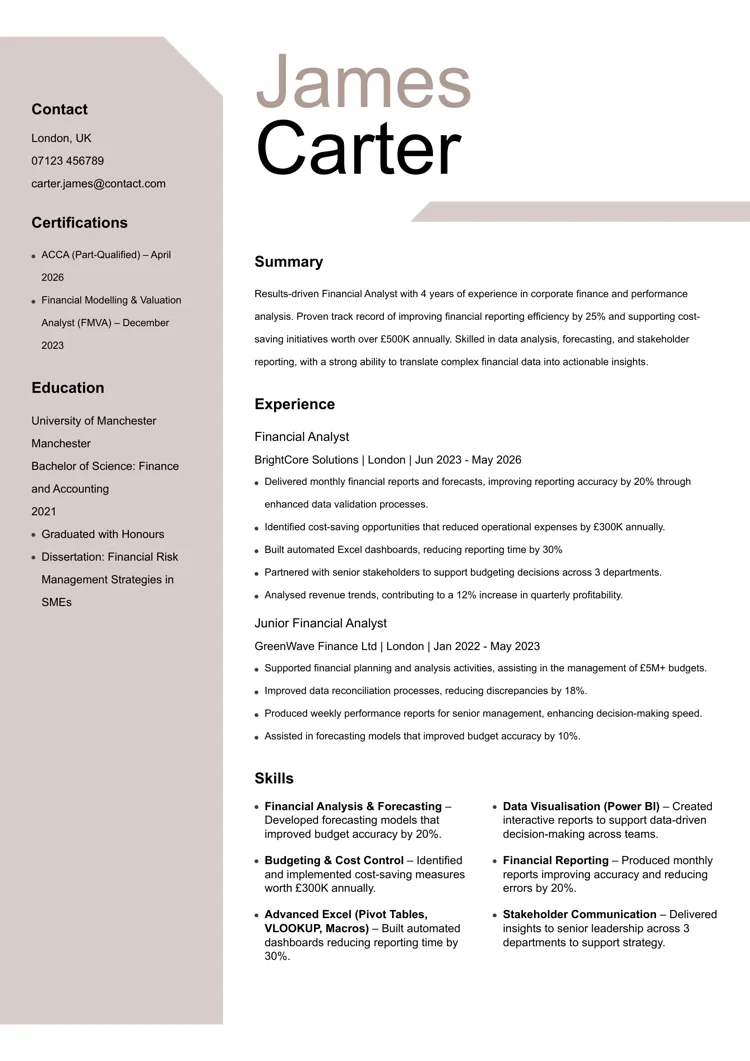
This CV template for Word features a distinctive, modern CV structure with a soft beige sidebar and geometric header elements that create a strong visual identity. The combination of bold typography for the name, clean section spacing, and a clear content hierarchy ensures excellent readability.
Best suited for:
Build my Word CVBuild my Word CV
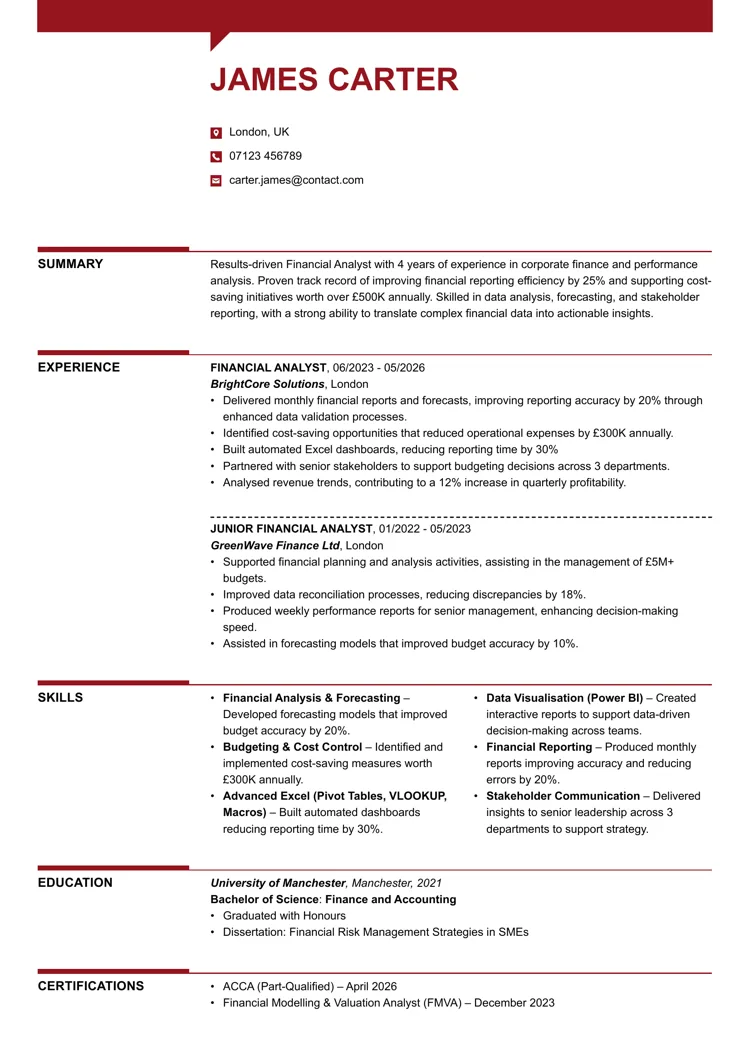
This striking Word CV template uses bold section markers and horizontal lines to break content into clearly defined blocks. The compact, single-column layout keeps everything tightly organised. The tried-and-tested CV font ensures that every person and ATS programme can read it easily.
Best suited for:
Build my Word CVBuild my Word CV
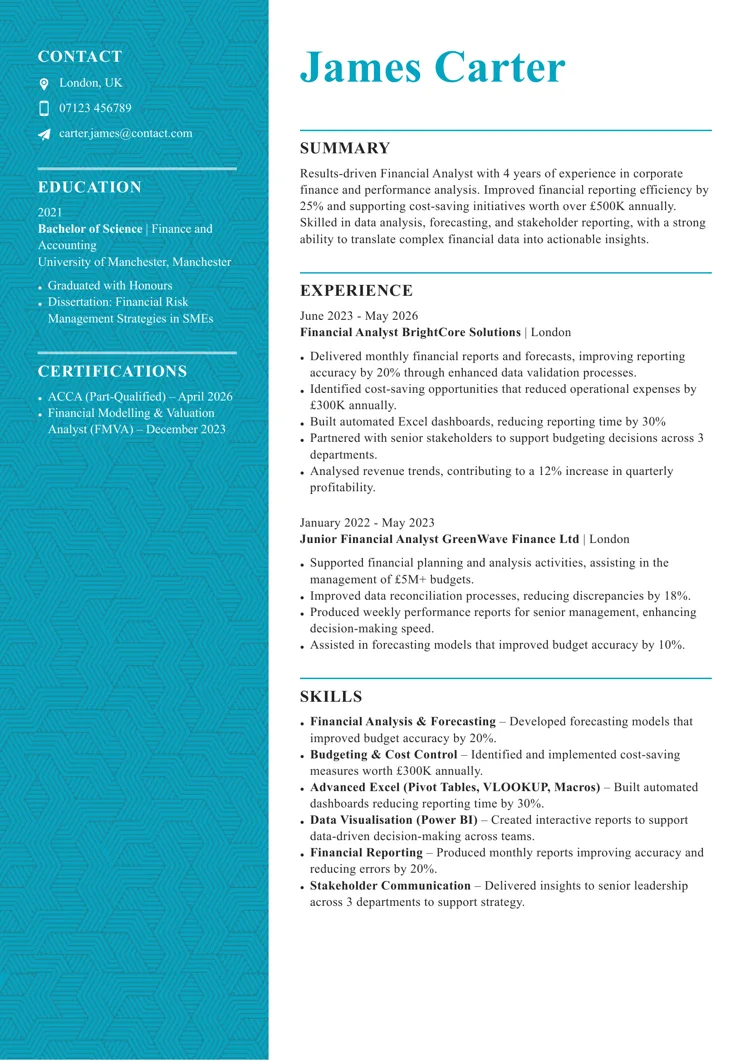
This modern CV template for Word stands out with its eye-catching sidebar featuring a geometric pattern. The split layout clearly separates key details from the core experience. This meticulously designed Word CV template is the perfect fit when applying for creative jobs.
Best suited for:
Build my Word CVBuild my Word CV
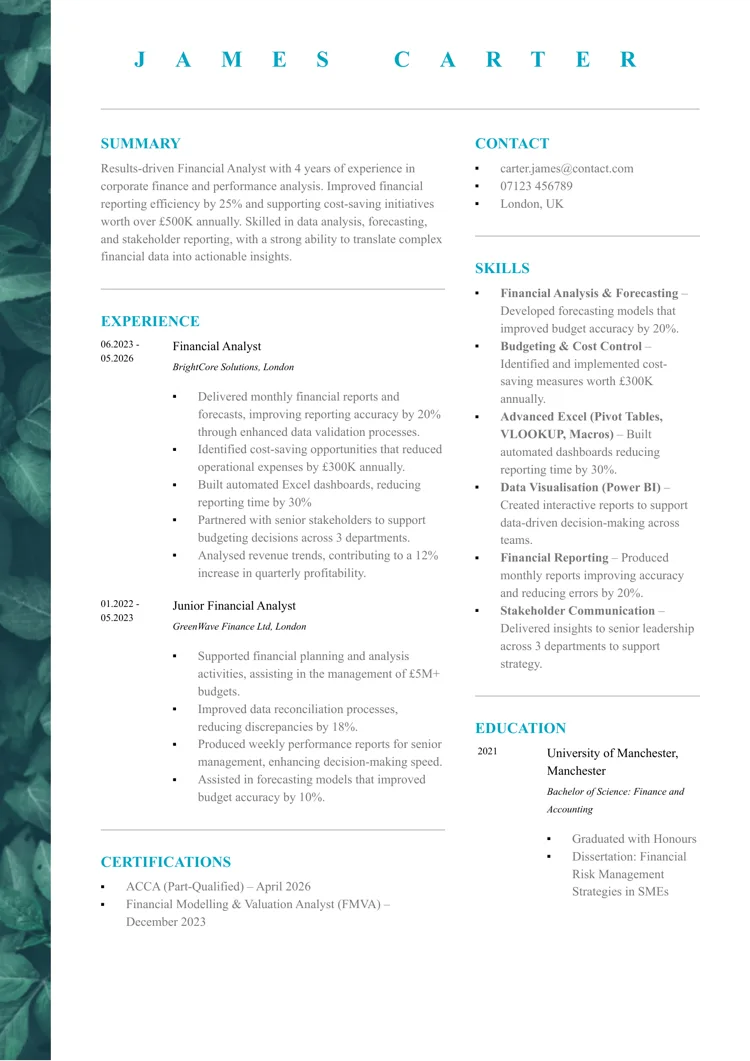
This contemporary Word CV template features a distinctive leafy side panel that adds depth and a natural visual texture, setting it apart from more standard designs. This unique aesthetic design is sure to pique the interest of hiring managers.
Best suited for:
Build my Word CVBuild my Word CV
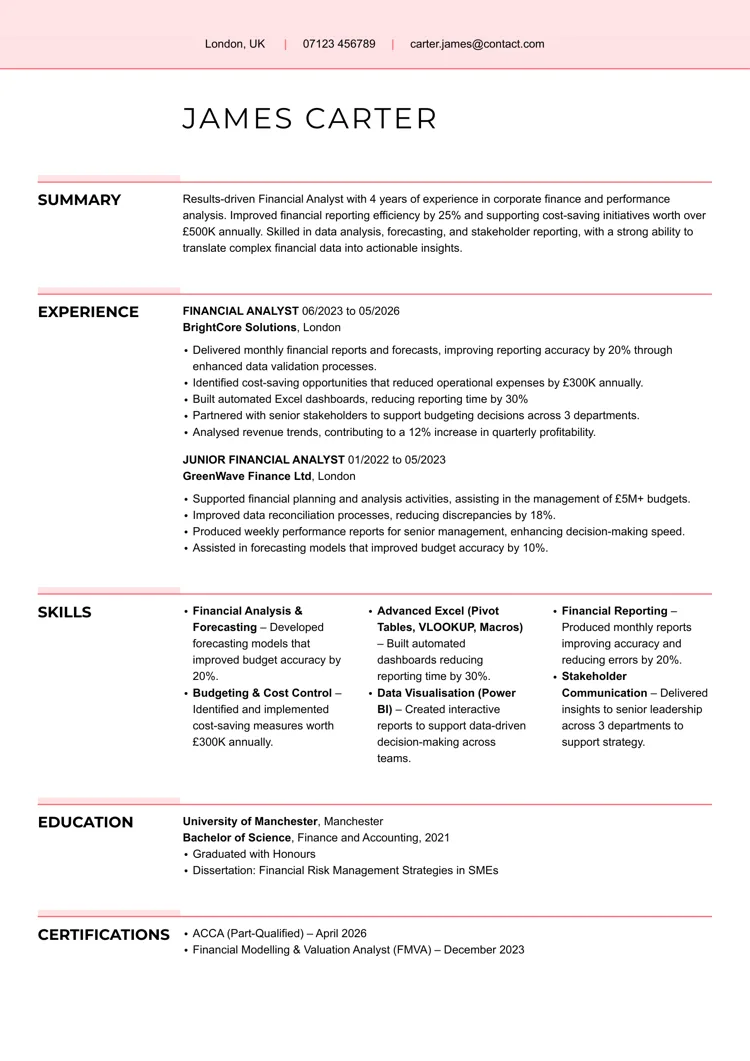
The clean CV template for Word strips things back to the essentials, using soft highlights and thin divider lines to organise content without adding visual weight. Its wide layout and spacing give each included CV section room to breathe, creating a calm, uncluttered reading experience.
Best suited for:
Build my Word CVBuild my Word CV
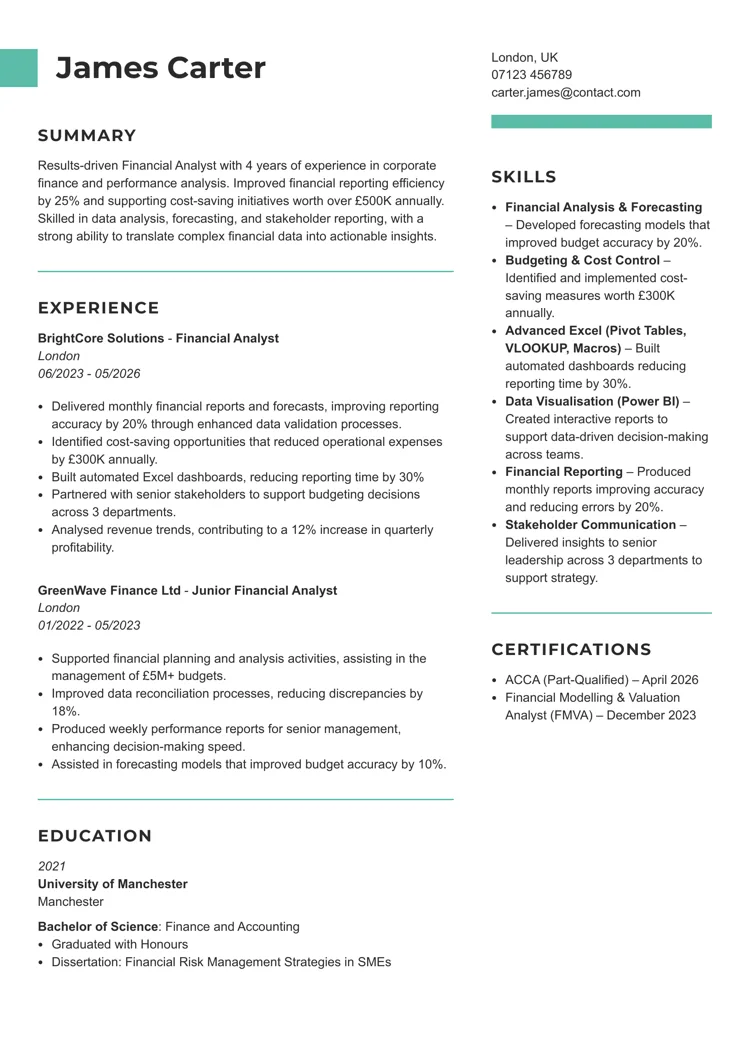
This creative Word CV template introduces subtle colour blocks and offset headers that break away from a rigid grid. The asymmetrical balance between columns adds visual interest while still keeping the content grounded and easy to follow. It’s ideal if you want a modern, yet simple design.
Best suited for:
Build my Word CVBuild my Word CV
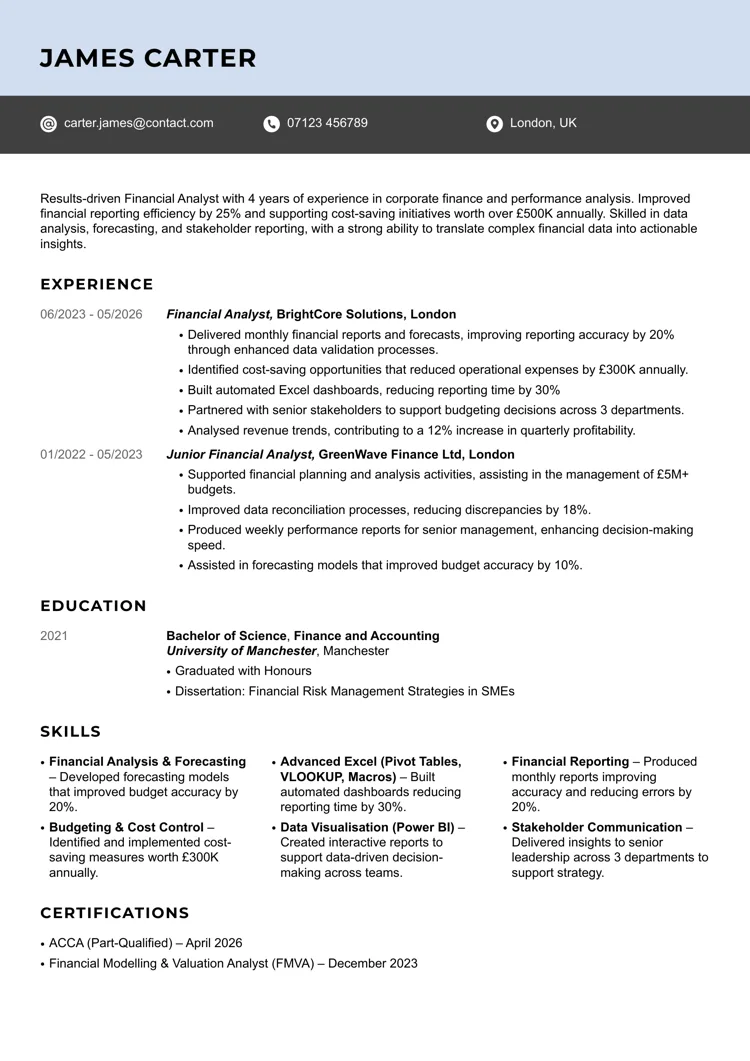
The Impactful Word CV template opens with a bold, full-width header bar that immediately anchors the page and draws attention to key contact details. This template offers a confident, no-nonsense design that puts emphasis exactly where it should be: on your experience and the results you delivered.
Best suited for:
Build my Word CVBuild my Word CV
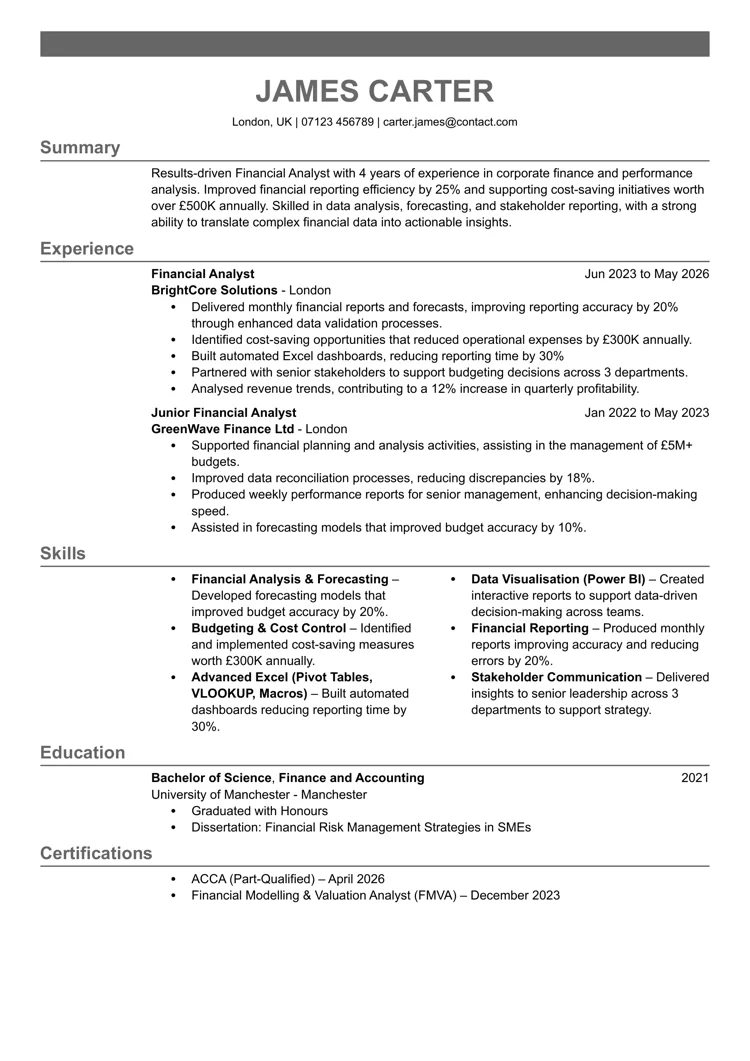
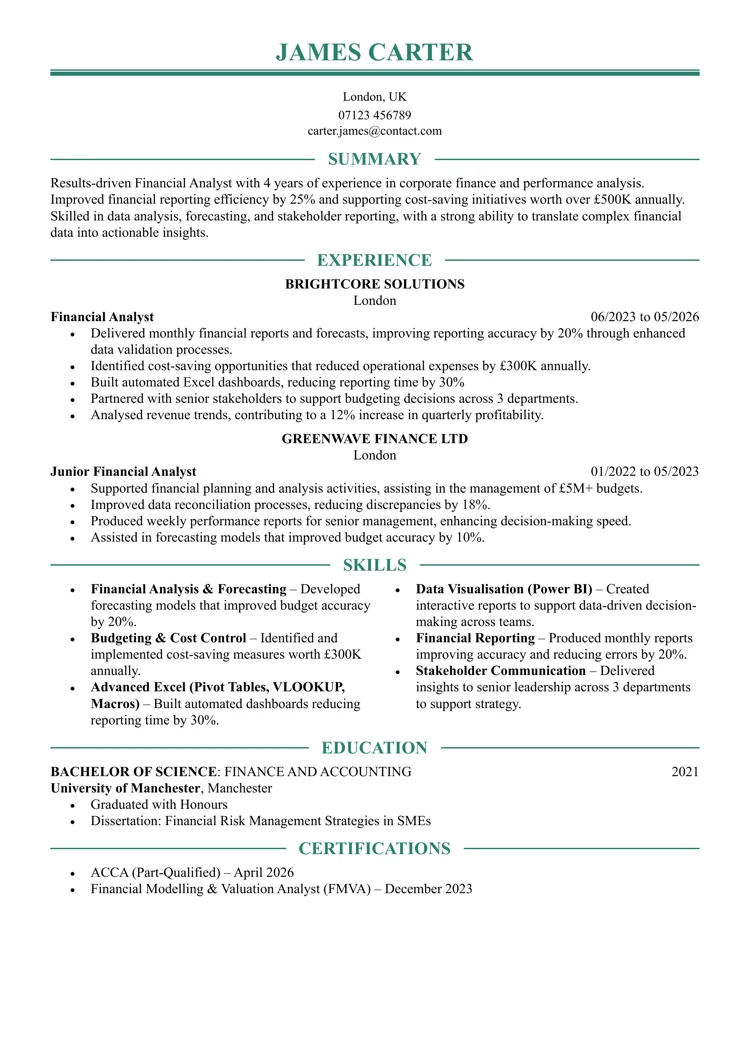
The Emphasis CV template for Word leans into bold section dividers and strong horizontal lines to frame each part of the document. Dates are neatly aligned opposite roles, creating a structured, almost timeline-like feel, while the restrained monochrome palette keeps the focus firmly on progression and key work achievements.
Best suited for:
Build my Word CVBuild my Word CV
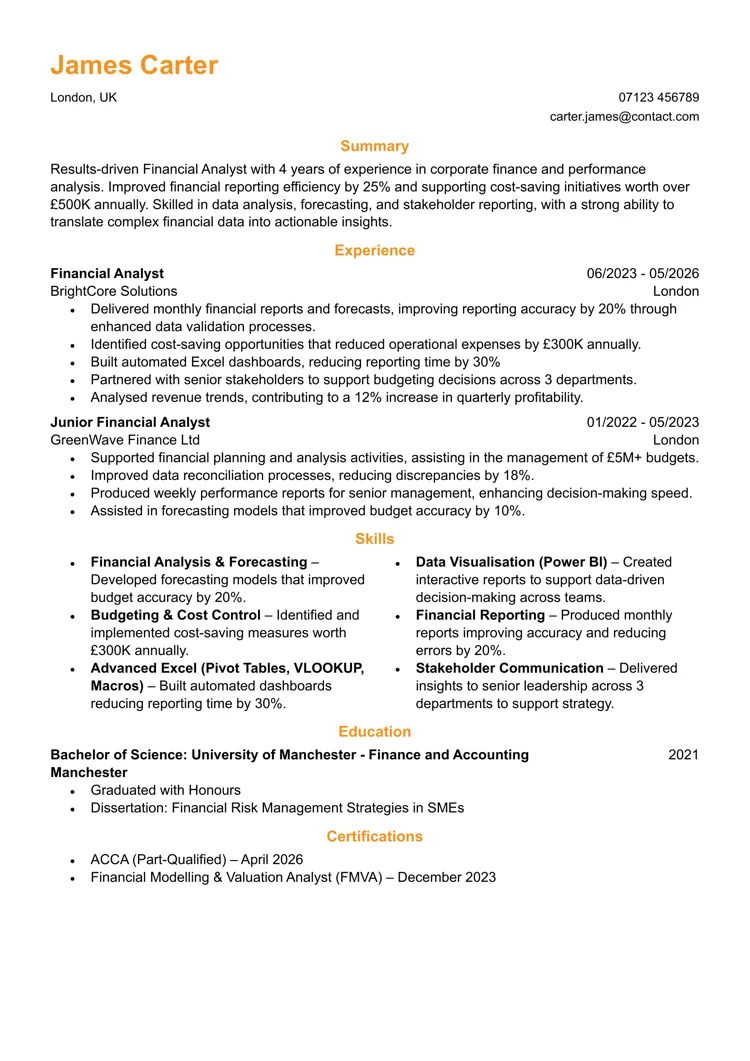
The Executive Word CV template takes a restrained, boardroom-ready approach, using centred headings to create a sense of authority. Its symmetrical layout and generous spacing give each section a deliberate, composed feel that’s well-suited to senior professionals who want their work experience to speak with confidence.
Best suited for:
Build my Word CVBuild my Word CV
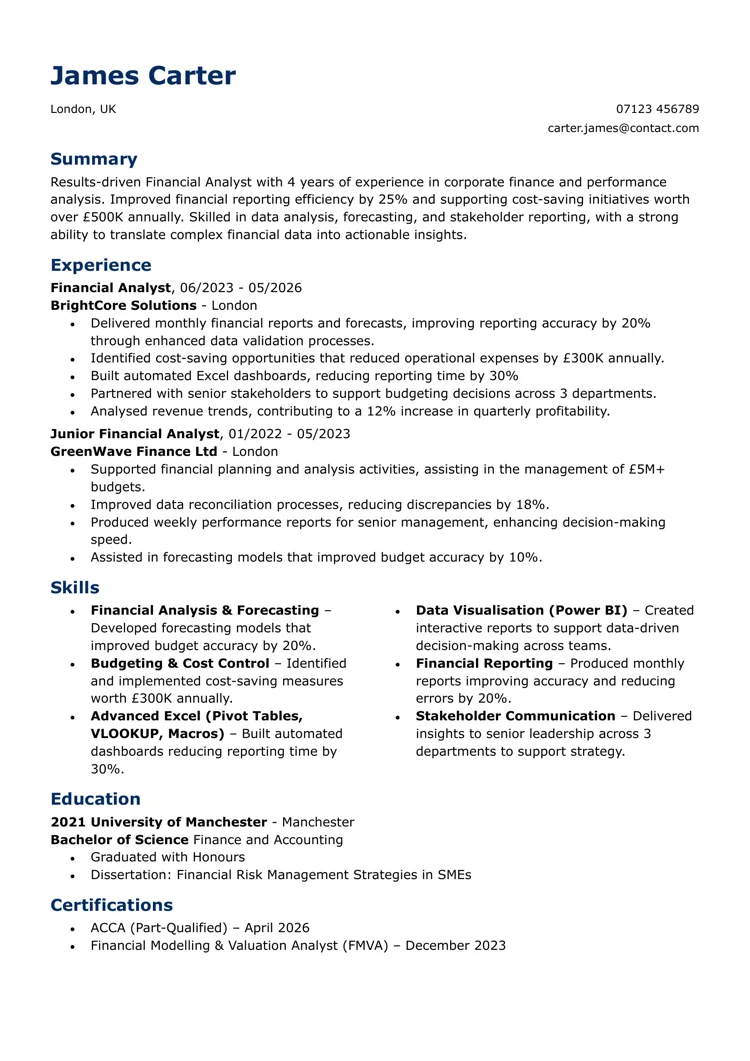
If you find it hard to include all of your experience on a one-page CV, the space-saver Word CV template is for you. It’s designed to maximise every inch of the page, using tight spacing and a compact layout to fit more information without feeling overcrowded. Subtle colour accents highlight section headings, while the streamlined structure keeps everything clear and easy to scan.
Best suited for:
Build my Word CVBuild my Word CV
This standard Word CV template keeps things deliberately straightforward, using coloured headings and a familiar top-down structure that recruiters instantly recognise. With no unnecessary design elements, it relies on clear CV fonts and logical ordering to present your experience in a way that is reliable across any role or industry.
Best suited for:
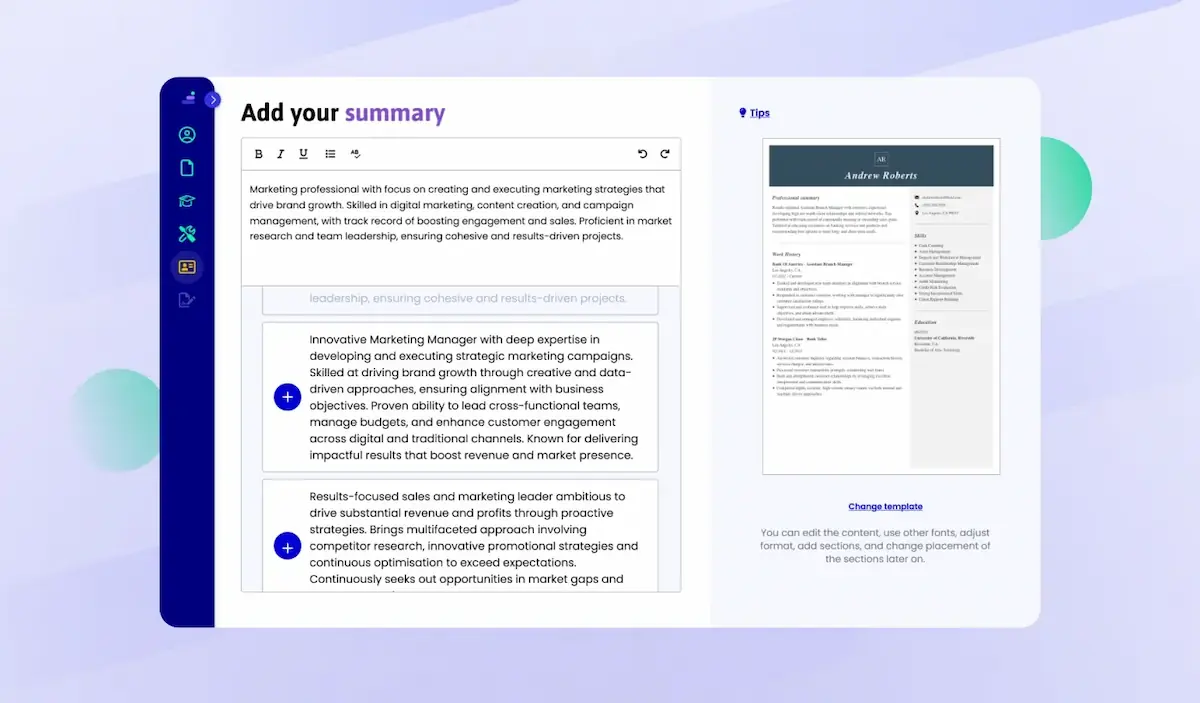
A strong CV summary will convince the recruiter you’re the perfect candidate. Save time and choose a ready-made personal statement written by career experts and adjust it to your needs in the LiveCareer CV builder.
I’ve also selected some of the best CV templates for Word for free download from the Microsoft gallery. Let’s check them out together!
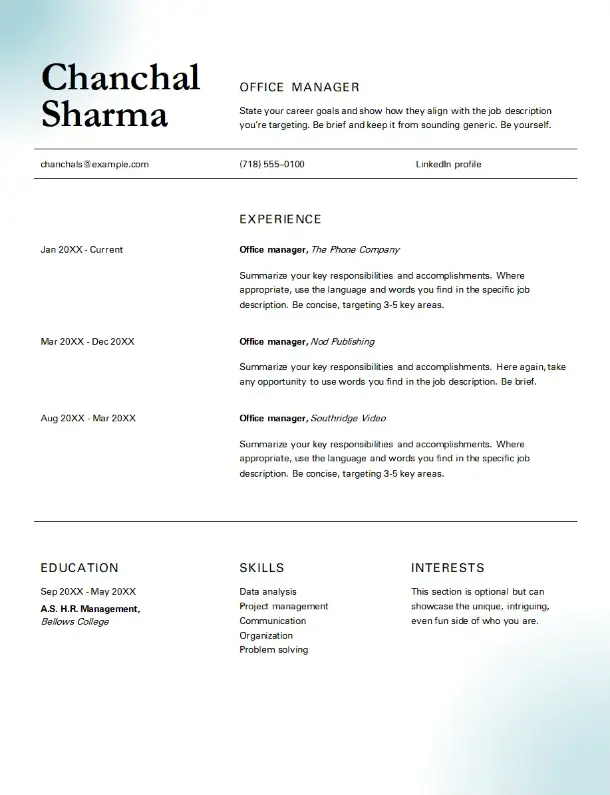
Let’s begin with the Classic office manager template for professionals who appreciate a structured look. This free CV template for Microsoft Word features a traditional yet striking design, combining a clean CV layout with a gradient background. Bold headers and ample spacing improve readability, making your CV look perfect without appearing cluttered.
Best suited for:
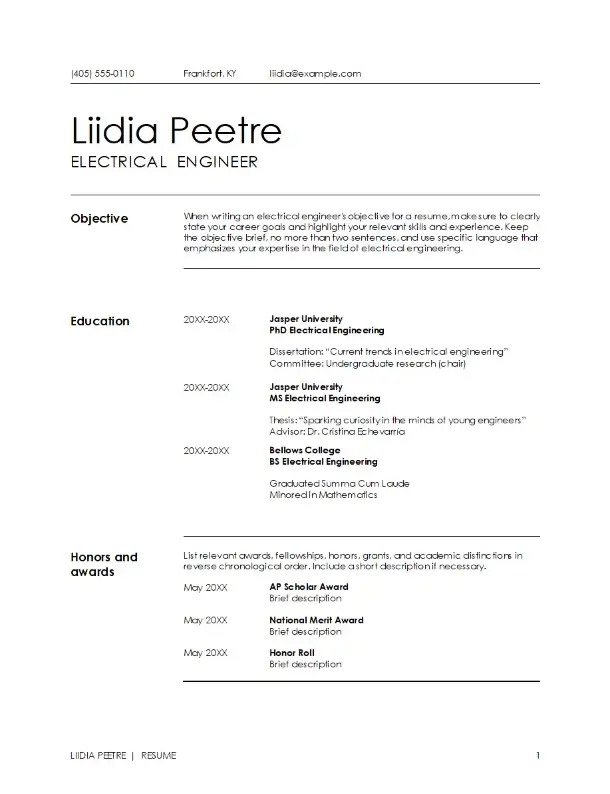
This modern CV template for Word offers ample space for those needing to showcase an extensive career history or a broad range of professional skills. It is ideal for long CVs.
Best suited for:
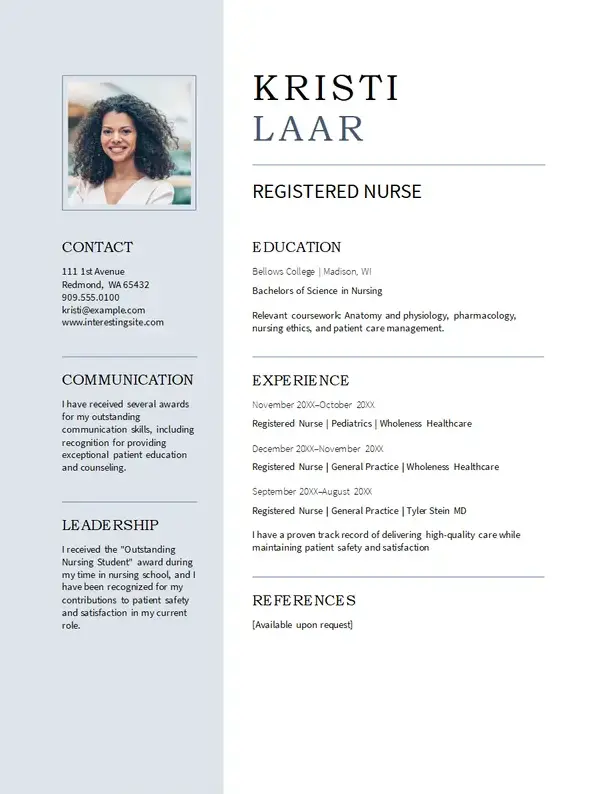
The modern nursing Word CV template prioritises clarity and functionality. It features well-organised CV sections, easy-to-read fonts, and subtle design touches to highlight crucial qualifications. As a side note, if you choose to include a photo in your CV, make sure it’s professional, suitable for your role, and follows all (if any) specified guidelines.
Best suited for:
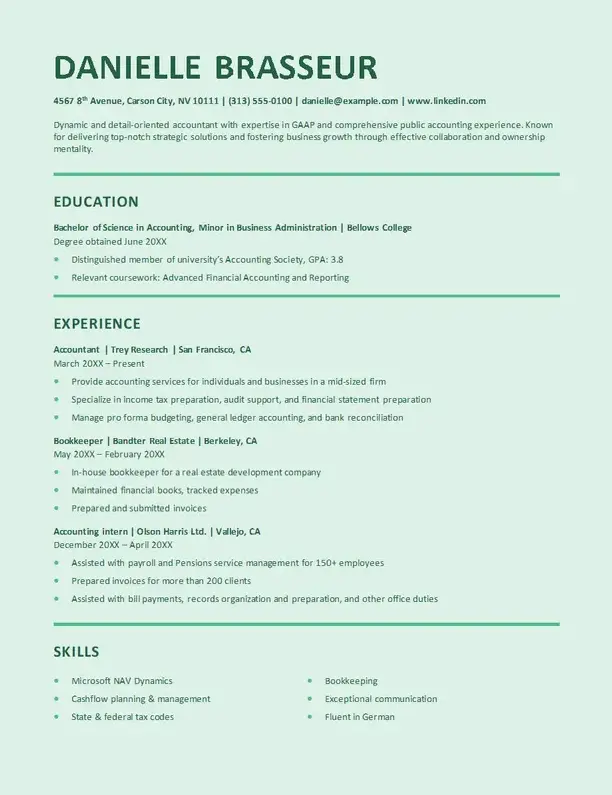
Another free UK Word CV template on the list is the ATS stylish accounting CV design, which merges modern style with ATS compatibility. This ensures your CV looks attractive and passes through automated screening software.
Best suited for:
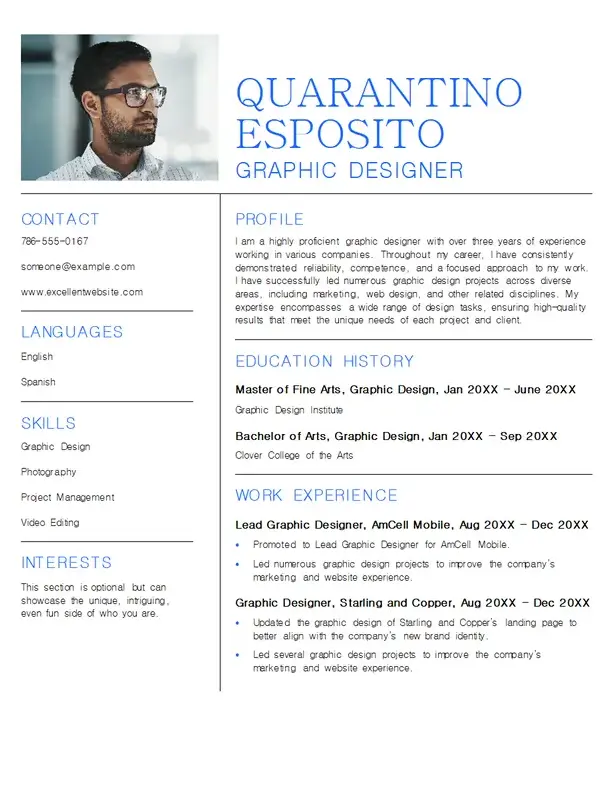
The Graphic designer Word CV template is another CV design that strikes a balance between creativity and professionalism. This format comes with bold headers, creative section breaks, and unique design elements that showcase your flair for innovation.
Best suited for:
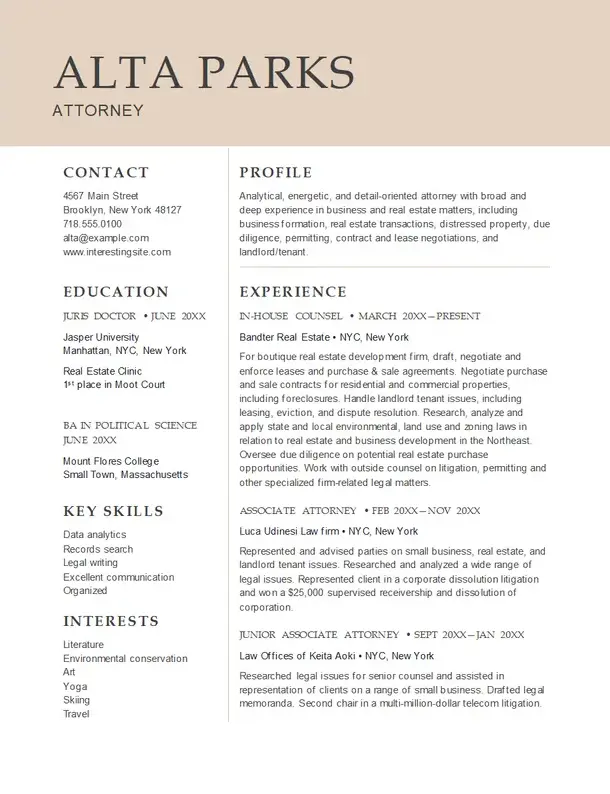
The Attorney CV template for Word is the ideal choice for legal professionals seeking a concise and professional CV. The layout is simple yet impressive, with visible section titles and a clean, monochromatic design that emphasises your educational background, case experience, and relevant soft skills.
Best suited for:
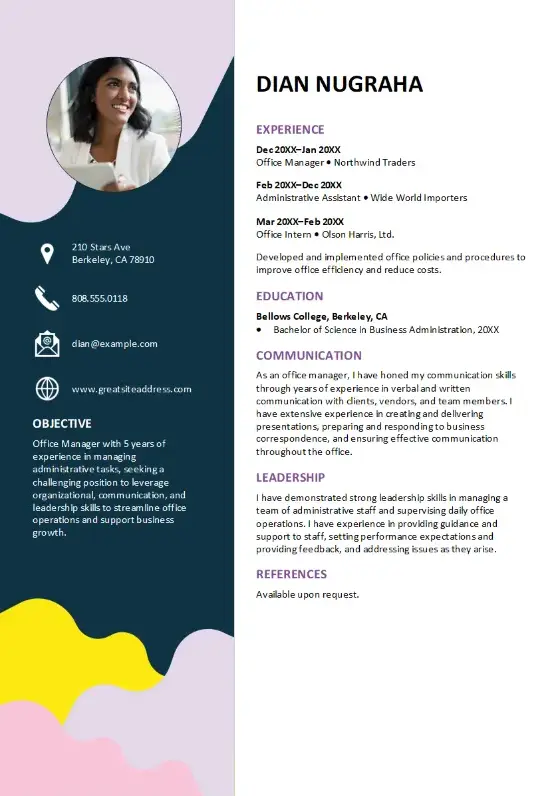
The Playful business CV template balances a formal structure and individualism. This free Word CV template incorporates pops of colour and creative icons, making it ideal for those who want to appear approachable and forward-thinking without compromising their credibility. The only thing to keep in mind is that colours convey significant information, so choose them carefully.
Best suited for:
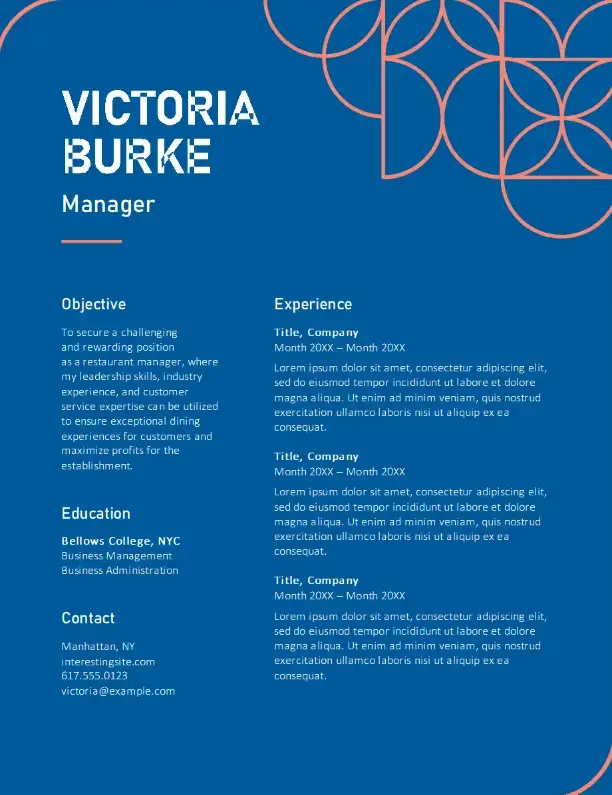
Another free Word CV template suited for the UK is this creative food service CV design. It showcases a fresh, dynamic layout with strategically placed design elements that draw attention to your key experiences and hard skills.
Best suited for:
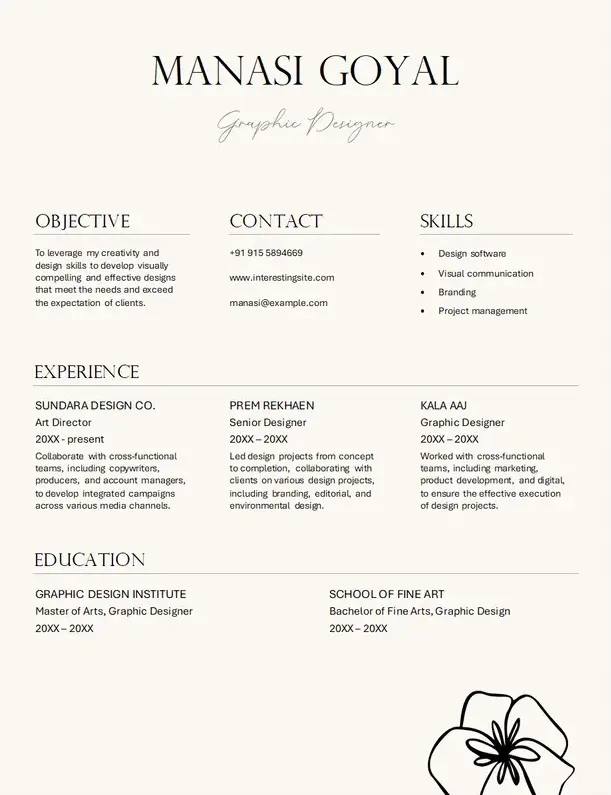
Here’s another Word CV template that offers a unique, artistic approach. With bold graphics and an unconventional layout, this elegant graphic design CV template reflects a candidate’s creativity and originality. It doesn’t offer much room for your accomplishments, so if you decide to use this free Word CV template, ensure you have a professional portfolio.
Best suited for:
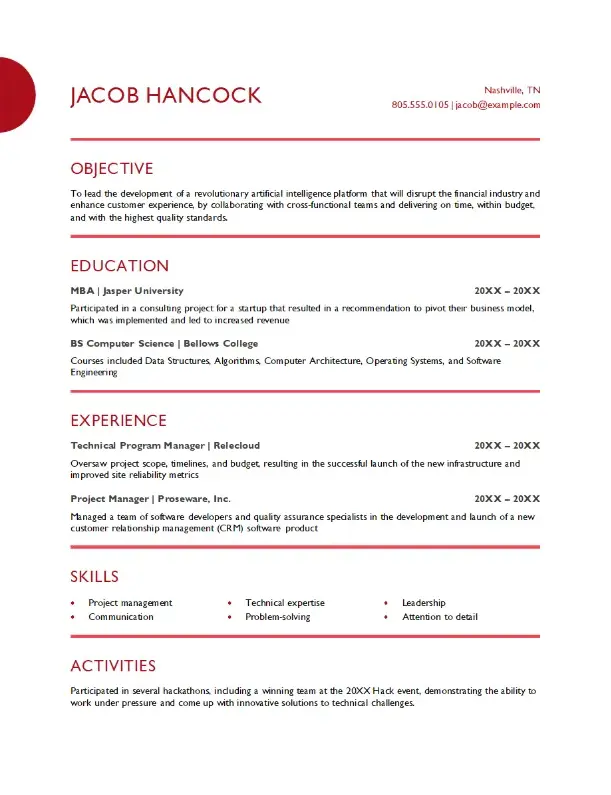
The Project management CV template for Word is all about structure and clear communication. Featuring distinct sections for experience, certifications, and key achievements, this Microsoft Word CV template is good for showcasing your organisational qualities and leadership skills.
Best suited for:
These were 10 free Word CV templates you can download from the Microsoft Word library. If you’re looking for a specific style of CV template, you can check these articles:
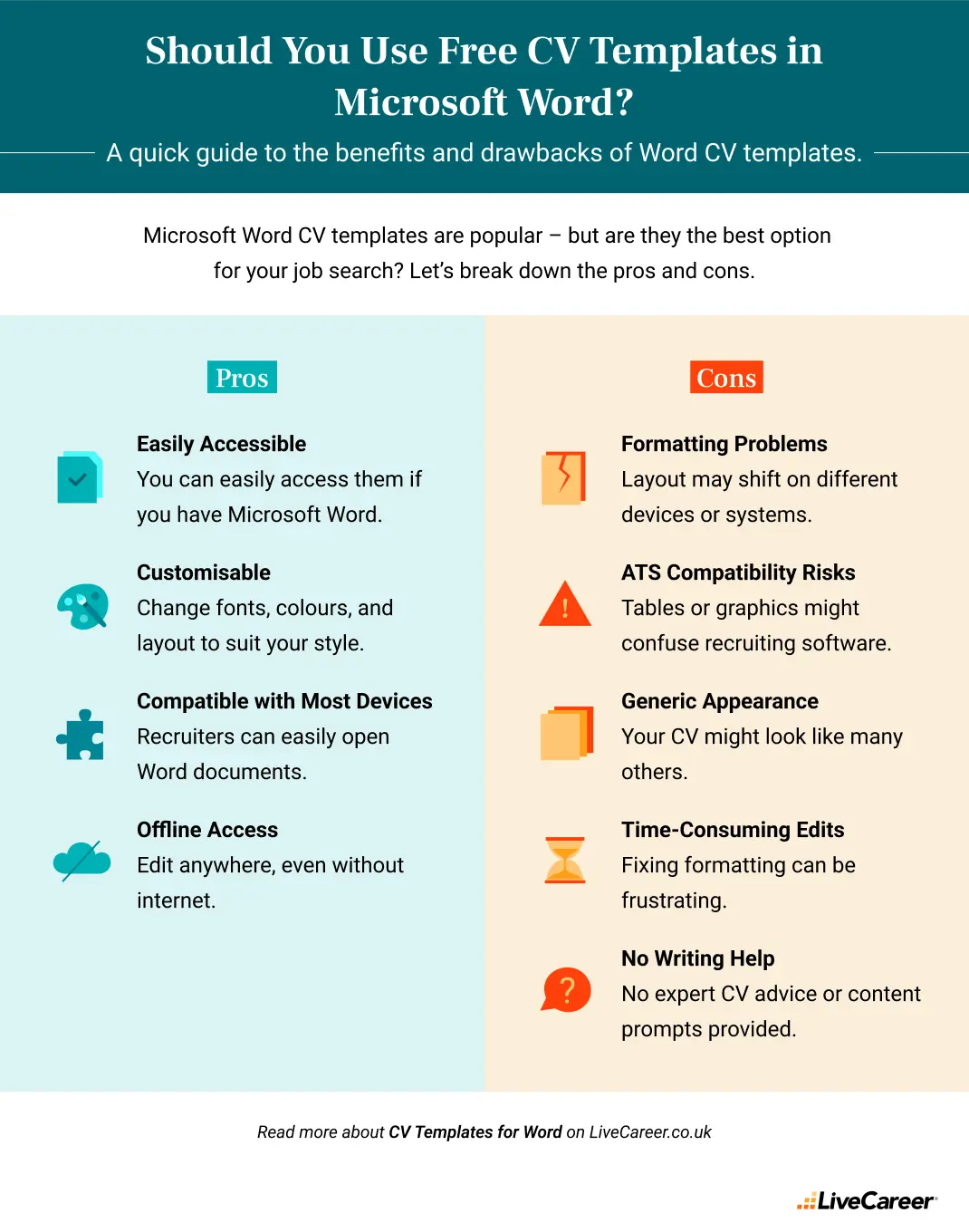
CV templates in Word are a staple for many job seekers. It’s no surprise: Microsoft Word is familiar, accessible, and offers plenty of formatting flexibility. But is it always the best choice for writing your CV?
Let’s take a closer look at the pros and cons of using CV templates in Microsoft Word and whether it’s better to stick with Word or opt for a dedicated CV builder.
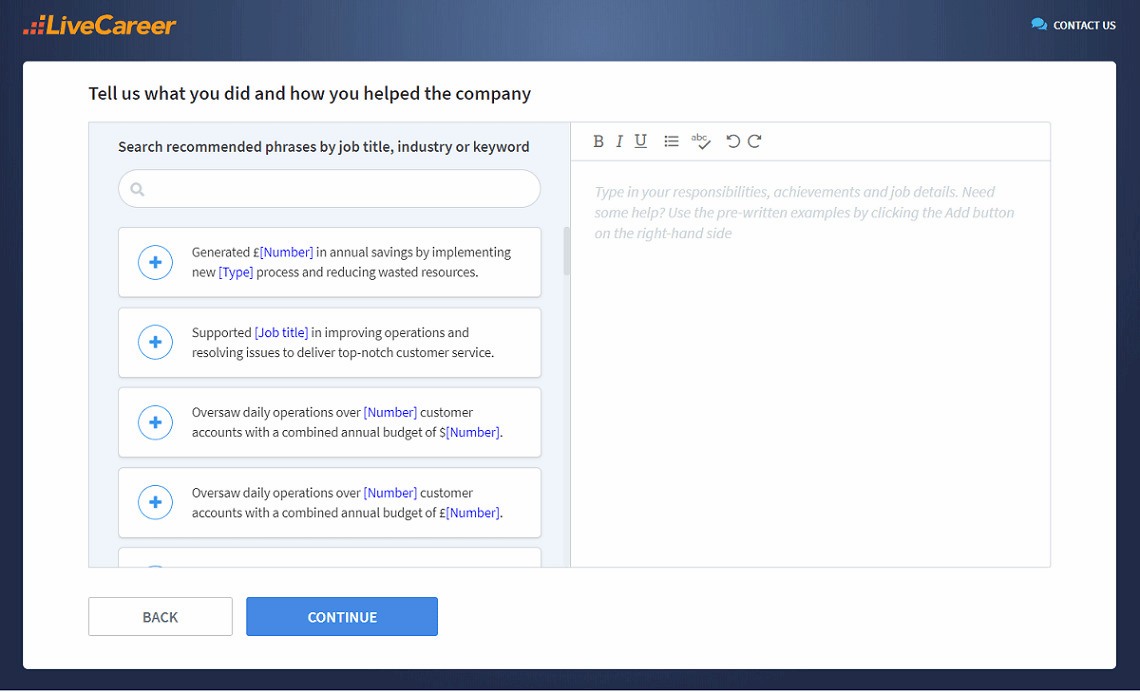
You don’t have to be a CV writing expert. In the LiveCareer CV builder you’ll find ready-made content for every industry and position, which you can then add with a single click.
Whichever route you choose, always proofread carefully, tailor your CV to the job you’re applying for, and ensure the design supports your qualifications.
Our editorial team has reviewed this article for compliance with LiveCareer’s editorial guidelines. It’s to ensure that our expert advice and recommendations are consistent across all our career guides and align with current CV and cover letter writing standards and trends. We’re trusted by over 10 million job seekers, supporting them on their way to finding their dream job. Each article is preceded by research and scrutiny to ensure our content responds to current market trends and demand.
If you’re comfortable with Word and need a quick, no-frills CV, a Microsoft Word template might be enough. But if you want a document that’s professionally designed, optimised for ATS, and tailored to your industry, using a CV builder is a smarter choice.
Here’s what makes CV builders like LiveCareer stand out:
A good Word CV template should include sections for your contact details, personal statement, work experience, education, and key skills. It should also use professional formatting, readable fonts, and consistent spacing to make your CV easy for recruiters to scan.
Yes, many Word CV templates are ATS-friendly when they use a simple, well-structured layout. Avoid excessive graphics, tables, text boxes, and unusual CV fonts, as these can make it harder for applicant tracking systems to read your CV correctly.
Category: CV Help
Mariusz Wawrzyniak is a career expert known for crafting data-driven, insightful content that helps job seekers grow and succeed. With a background in engineering and management, he blends research-based advice with real-life experience to guide readers through every step of their career journey.
Crafting a job-winning CV is all about showcasing your unique skills and experiences. Start with a strong personal statement that highlights your career goals and achievements.
Try Our CV Builder Now