How Do I Create a CV on My Phone?
Last updated on 7 November, 2025

LiveCareer UK Editorial TeamLiveCareer UK Career Experts

Our customers have been hired by*:
To create a CV document on your phone, follow these steps:
- Install a word-processing app
If you don’t already have one, try using Google Docs (free) or Microsoft Word (paid). Here’s where to download Google Docs or Microsoft Word to your phone:
- Prepare a CV with the app
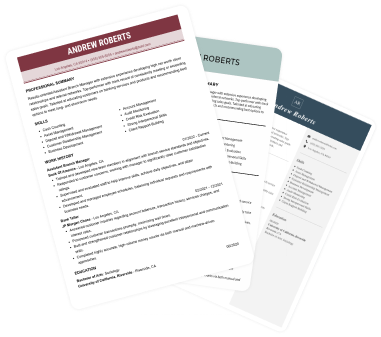
Start with your name and contact details at the top. Then, add CV sections for your personal statement, work experience, education, key skills, and additional information. To make it easier, use a ready-made Word CV template or Google Docs CV template and fill in your details.
- Proofread your CV
After drafting your CV, carefully proofread for errors. Typing on a small screen can lead to mistakes, so take extra care during this step.
- Use a clear filename
Ensure your CV has a professional filename that’s easy to understand (e.g., your-name-CV).
- Email your CV
When ready, download your CV or share a link to the document via email.
Alternatively, you can use a dedicated CV builder to streamline the whole process. Simply enter your information, and the app will generate a professional CV for you.
How we review the content at LiveCareer
Our editorial team has reviewed this article for compliance with LiveCareer’s editorial guidelines. It’s to ensure that our expert advice and recommendations are consistent across all our career guides and align with current CV and cover letter writing standards and trends. We’re trusted by over 10 million job seekers, supporting them on their way to finding their dream job. Each article is preceded by research and scrutiny to ensure our content responds to current market trends and demand.
About the author
LiveCareer UK Editorial Team
LiveCareer UK CV builder is powered by career experts, CV writers, and HR professionals. Since 2013, our editorial team has supported job seekers with free, research-based career advice and expert tips to improve their job applications. LiveCareer UK CV builder has already helped thousands, and you can be next.
Looking for a job-winning CV?
Crafting a job-winning CV is all about showcasing your unique skills and experiences. Start with a strong personal statement that highlights your career goals and achievements.
Try Our CV Builder Now